DevOps
Specgetty on Droid: reviewing your OpenSpec changes on your phone
A follow-up to our introduction of specgetty. The Android app reads your OpenSpec projects straight out of git, with no backend and no account.

Earlier we introduced specgetty, our terminal tool for reviewing OpenSpec specifications without losing your focus. The response we got most often was a variation on one question: nice, but I am not at my workstation all day.
So now there is specgetty-mobile.
Reading specs on a phone
Reading code on a phone is a bad idea. Too many lines, too much context, too little screen. Anyone who has tried to review a pull request on their mobile knows that at some point you approve it without having really read it.
An OpenSpec change is a different thing. A proposal is prose. A design is prose. A requirement with its scenarios is a few paragraphs of structured text stating what the system is supposed to do. That is exactly the kind of material that reads fine on a small screen.
And that is one of the underrated consequences of spec-driven development. Once the moment of review moves from the code to the specification, it also moves from “at my desk with the repo open” to “anywhere I have ten minutes”. On the train. Between two meetings. While the agent is building.
What the app does
An OpenSpec project keeps its specifications in an openspec/ directory: the current specs under specs/, work in progress under changes/, and everything finished under changes/archive/. The app clones that repository over HTTPS and lets you read all of it on your phone.
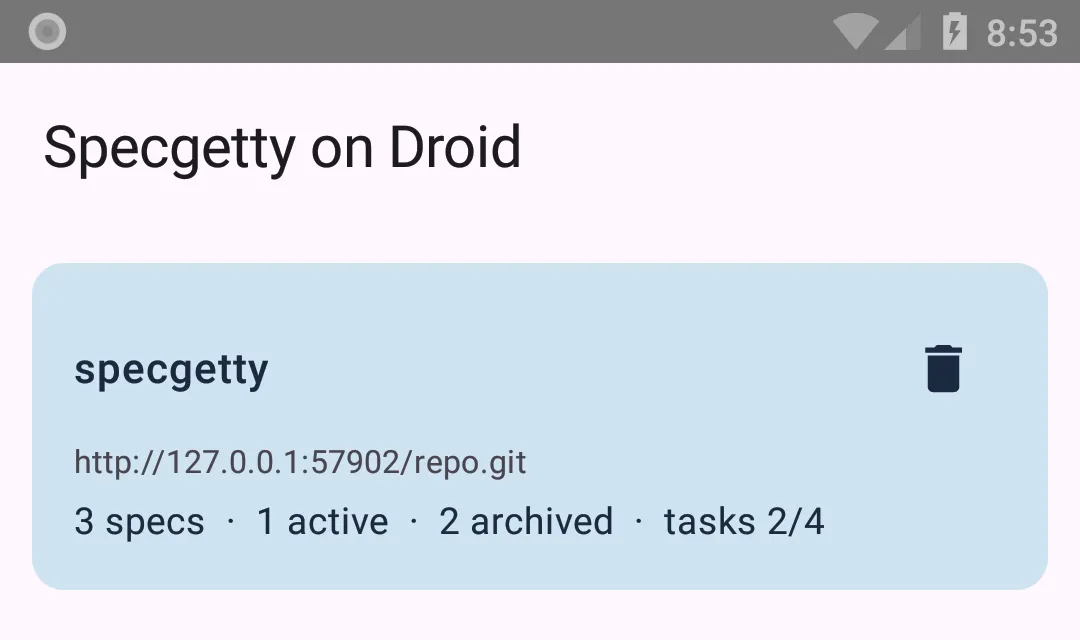
Repositories. You add one with the HTTPS clone URL, by scanning a QR code, or by sharing a link from your browser to the app. You do not have to get the URL exactly right: paste any GitHub page and it is reduced to something that clones. Each row shows how many specs the project has, how many changes are active and archived, and how far the open tasks have got.
One repository can also hold several OpenSpec projects, each with its own openspec/ directory. When you add it, the app shows which ones it found and you pick the ones you want to follow. They then share a single cloned copy, so refreshing fetches the repository once and updates all of them.
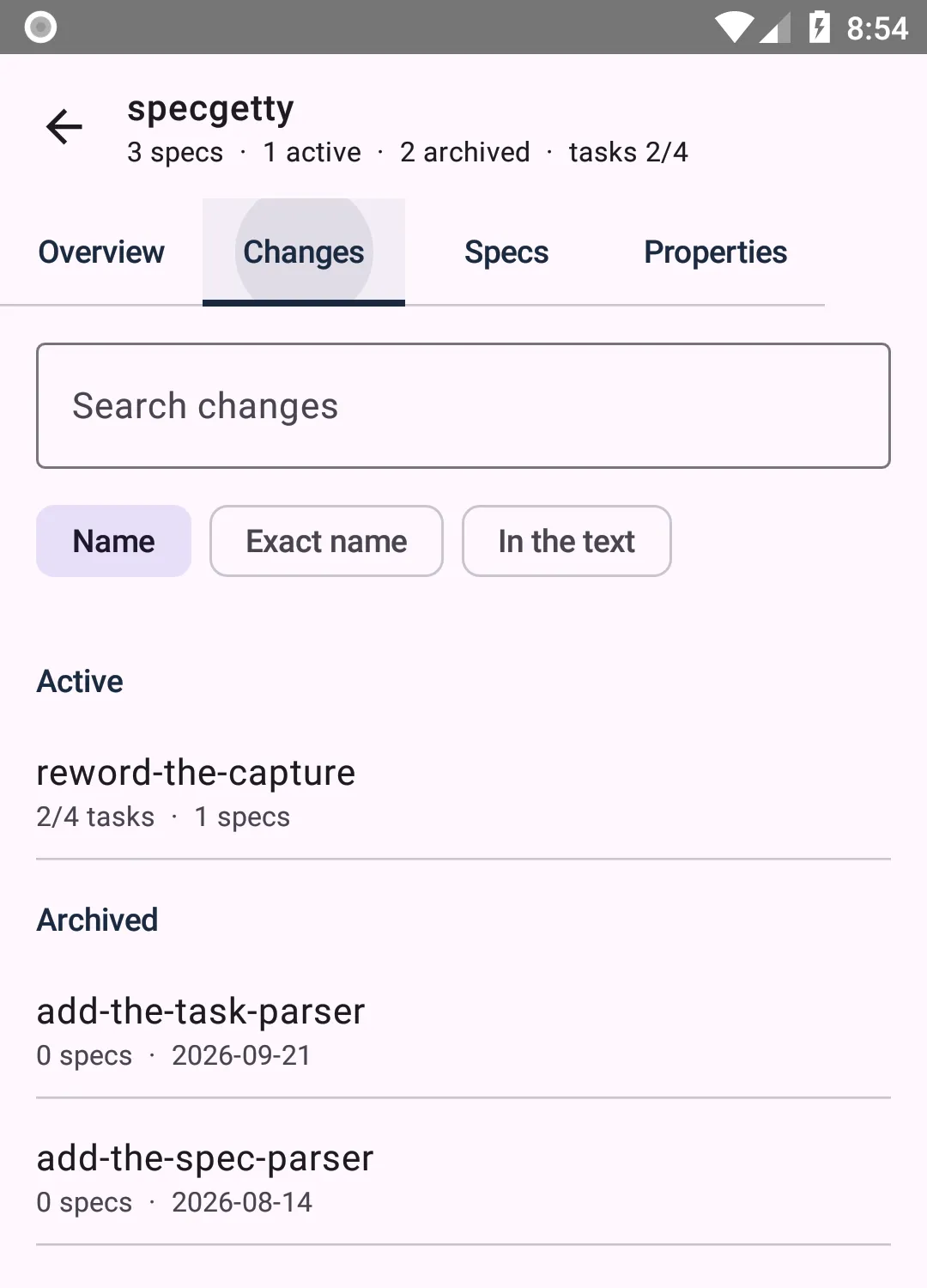
Changes. Active and archived in one searchable list. Typing matches loosely on names; a leading colon searches the text inside each change and says which files matched.
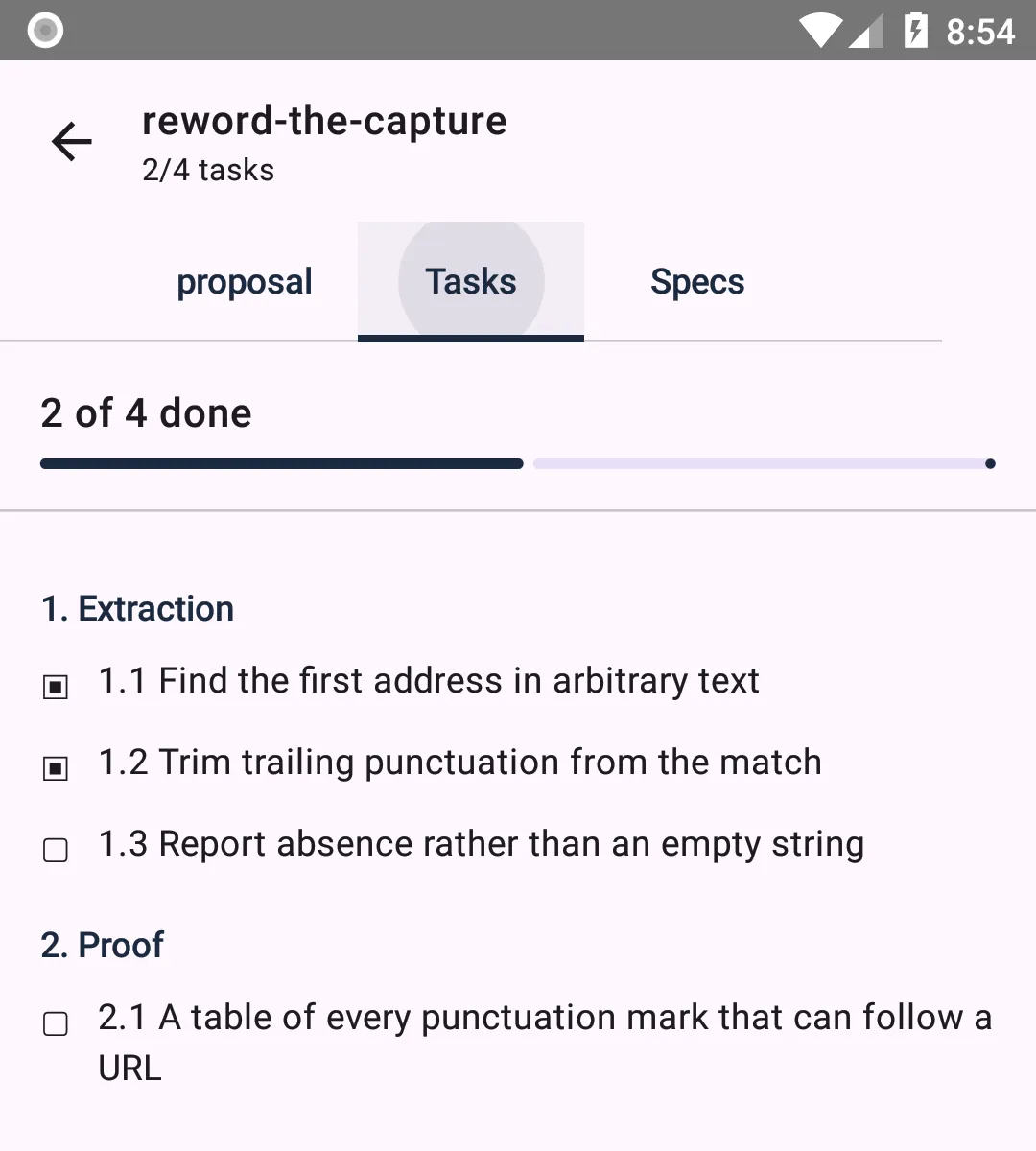
A change. A tab for every artifact the change actually has, rendered as markdown, plus the task list with a box per task alongside the progress.
Spec deltas: the actual review work
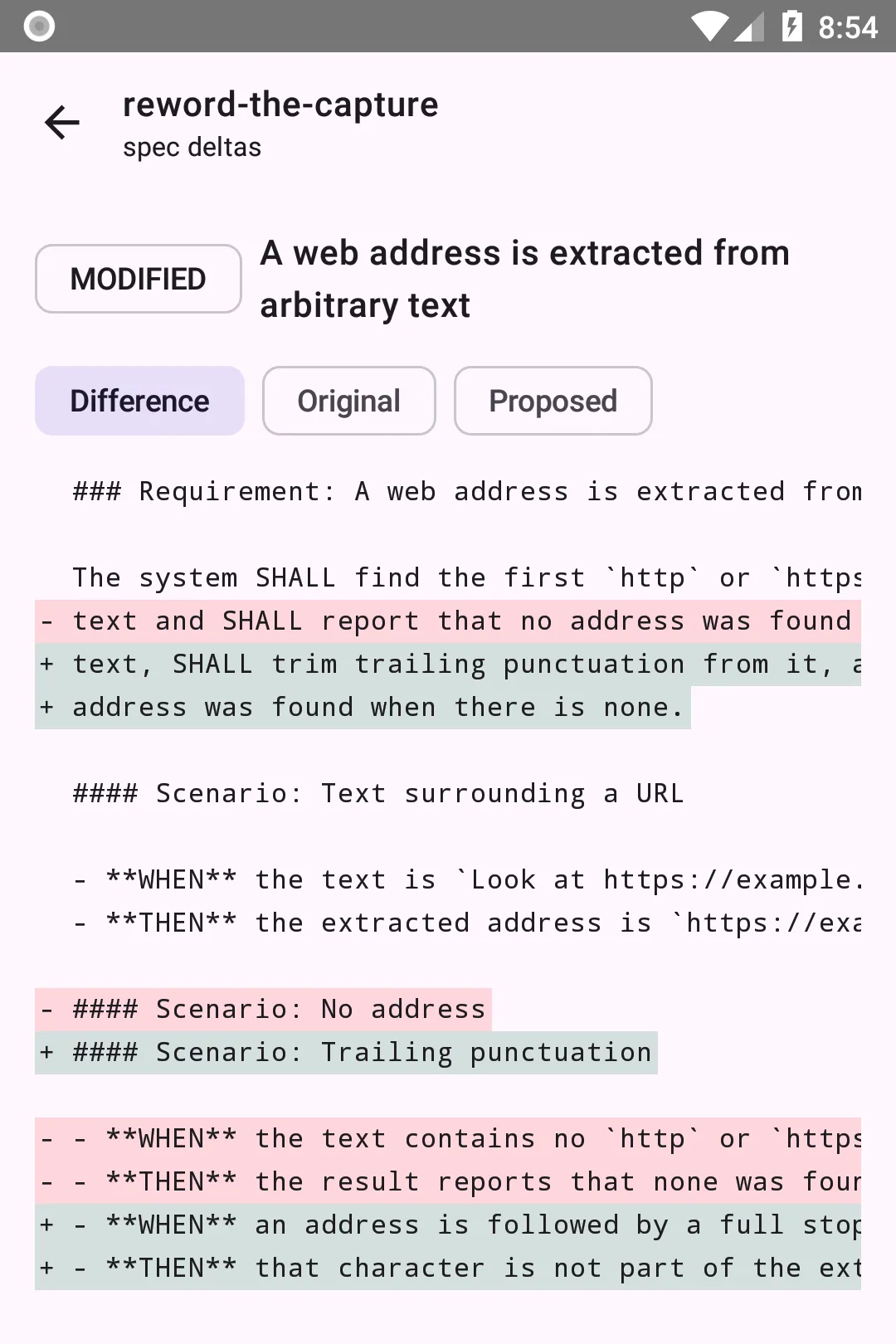
The feature it is all about is the spec delta view. Per change you see which requirements are added, modified, removed or renamed. And for a change that has not been archived yet, you can put a modified requirement next to the existing one: the difference, the original, and the proposal.
That is the question you really want answered when reviewing a change proposal. Not “what does this say”, but “what does this change about what we agreed on”.
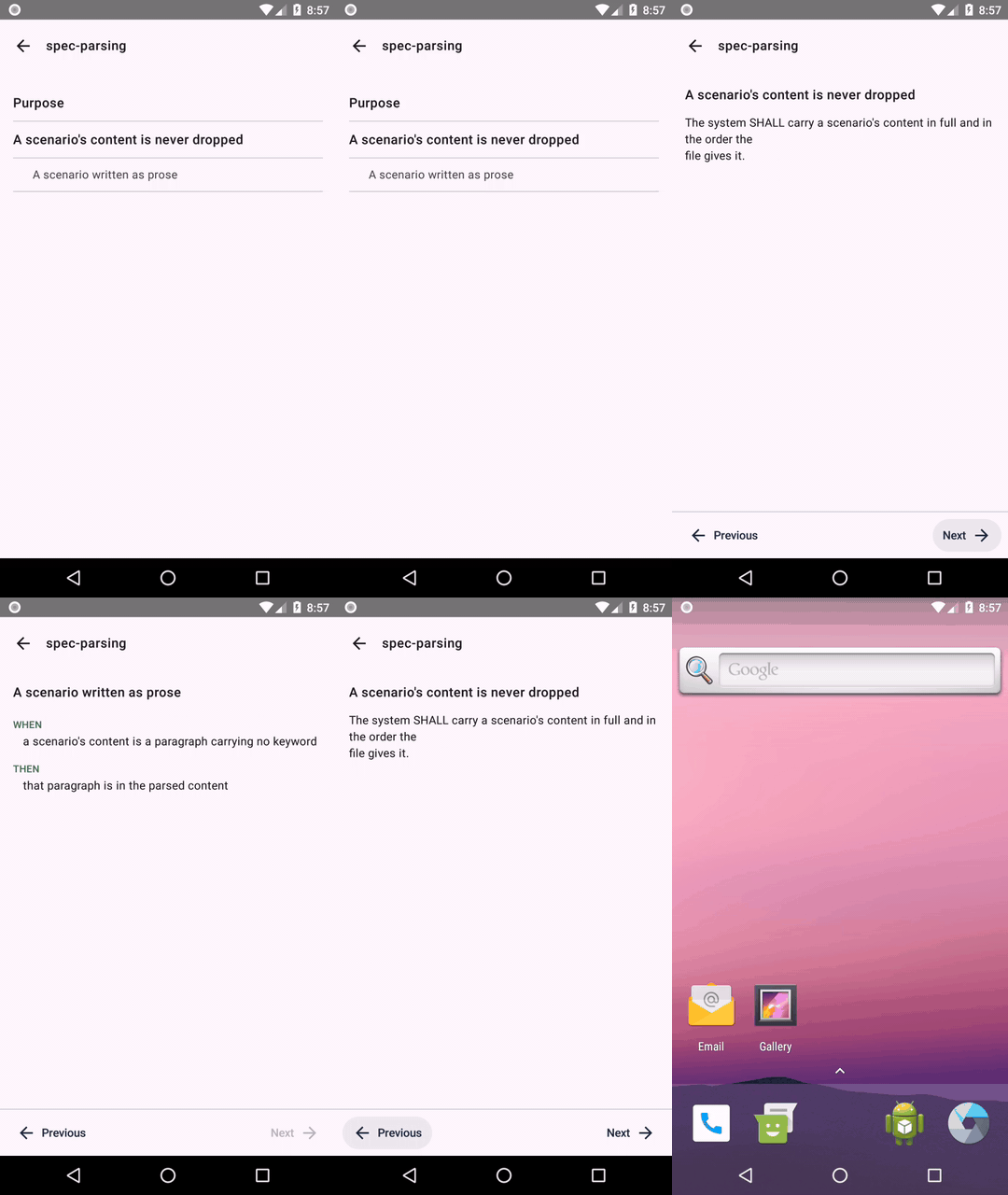
The card view from the TUI came along. A spec shows its purpose, its requirements and the scenarios that belong to them, each on a card of its own. One behaviour at a time, paged through with your thumb. On a phone that feels even more natural than in the terminal.
Git is the transport. There is no backend.
There is no server in between. No account with us, no sync service, no copy of your specs on a machine we run. The app clones from your repository and that is the whole story.
Private repositories are supported. For github.com you authorize the app with a short code in your browser and pick yourself which repositories it may see; for other hosts you use an access token. Either way the access is read-only, and the credentials are stored encrypted in the Android Keystore and disappear along with the repository.
Built on its own predecessor’s specs
The best part of this project sits under the hood. The grammar the app reads specs with was not invented again: it lives in specgetty’s own openspec/specs/, is implemented there, and is pinned down by thirteen fixtures that each come from a real spec rather than being made up.
Those fixtures were carried over into the app’s tests. And on top of them a copied-in openspec tree of specgetty itself, as it stood when it was taken: 28 specs and 57 archived changes with 110 delta files. The app’s parsers have to structure all of them correctly. Where the app and specgetty could disagree, specgetty decides.
That makes the specification the joint between two programs in two different languages. That is spec-driven development making good on its own promise, and it is the reason we believe in it.
The same discipline sits in the release route. A script runs the full quality gate before a change is archived, with a coverage floor of 70 percent across the bundle and 80 percent on the parser. So a change that fails is never half shipped.
What is not in it yet
This first phase reads. It does not edit, does not tick off tasks, does not archive and does not push. That is a deliberate boundary: get the reading right first, then write.
Phase two is ticking off tasks, writing tasks.md back and committing and pushing it through JGit. Not planned are SSH authentication, background synchronization, and looking for projects anywhere other than openspec/ at the root of a repository.
Installing
The app runs on Android 8.0 and newer. The APK is on the releases page on GitHub.
Eventually we want to offer it through F-Droid. That fits how the project is put together: open source, no tracking, no account, and a build that the Nix flake makes reproducible from source. Exactly what F-Droid expects of a submission.
The source is at github.com/speclib/specgetty-mobile, under the Apache 2.0 license. Issues and pull requests are welcome.
This app is not affiliated with the OpenSpec project.
Table of contents